
HOW LINKNESTER WORKS
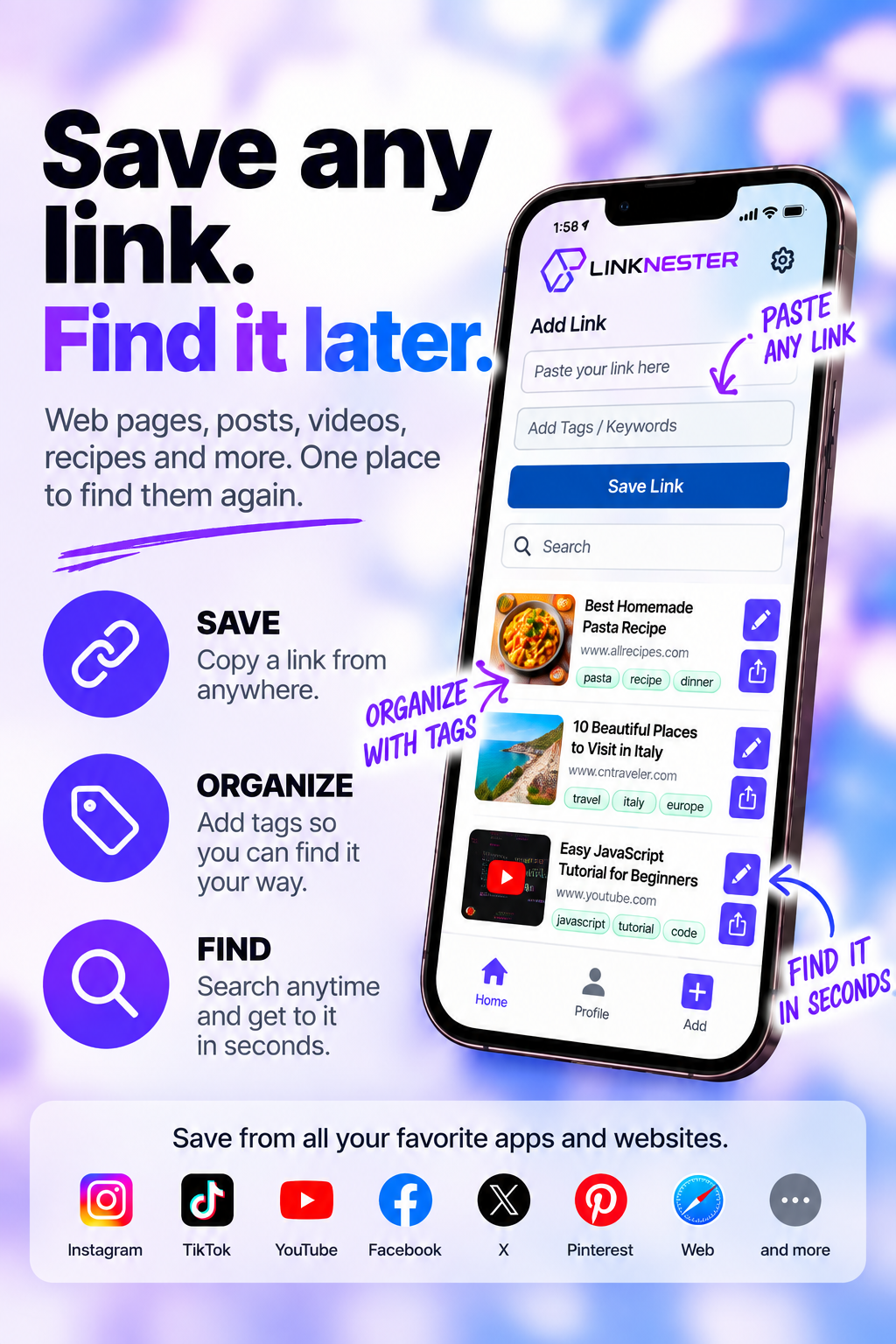
3 Simple steps. That's it.
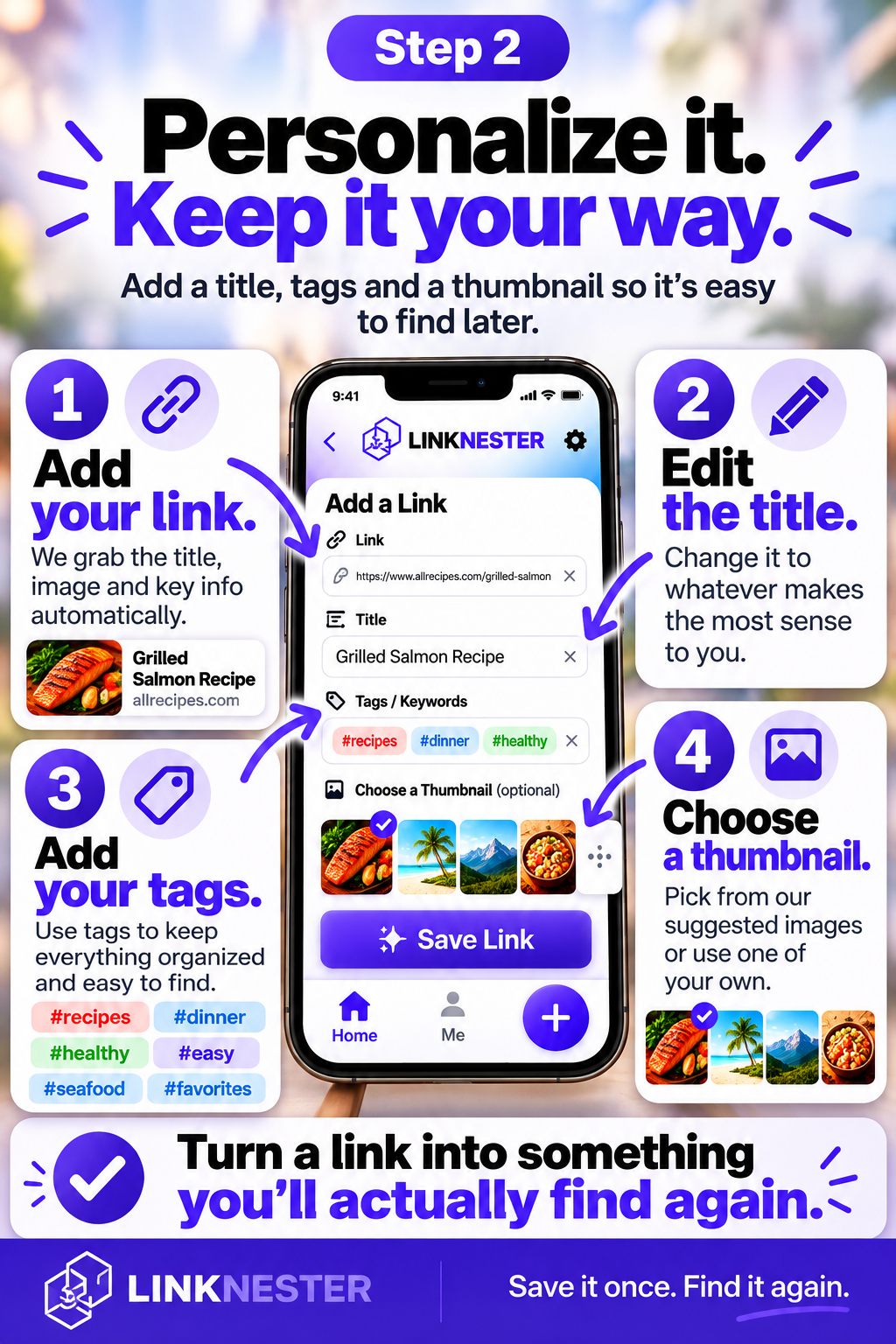
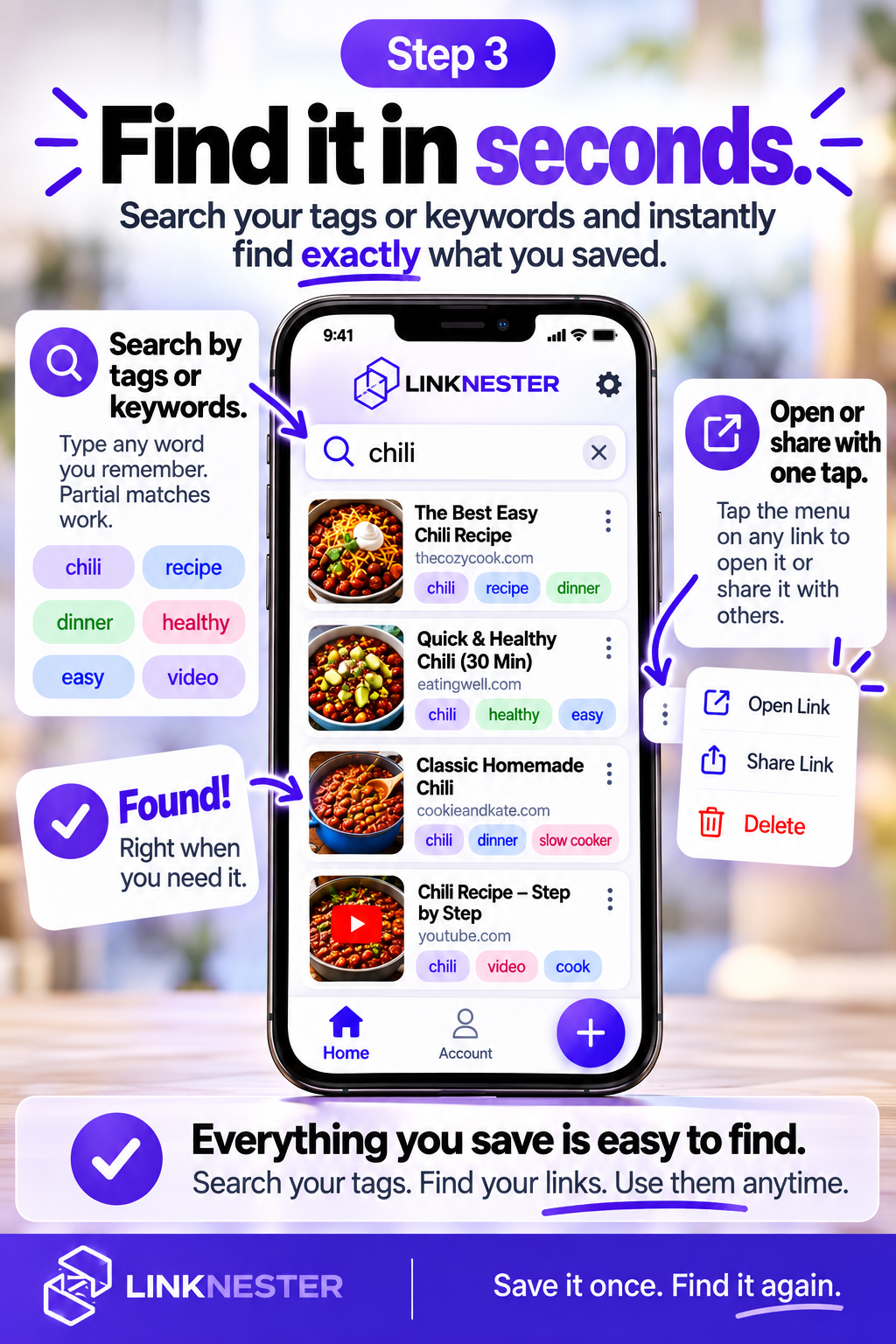
Every saved link is a promise to your future self:
“This is worth coming back to.”
WHY IT MATTERS
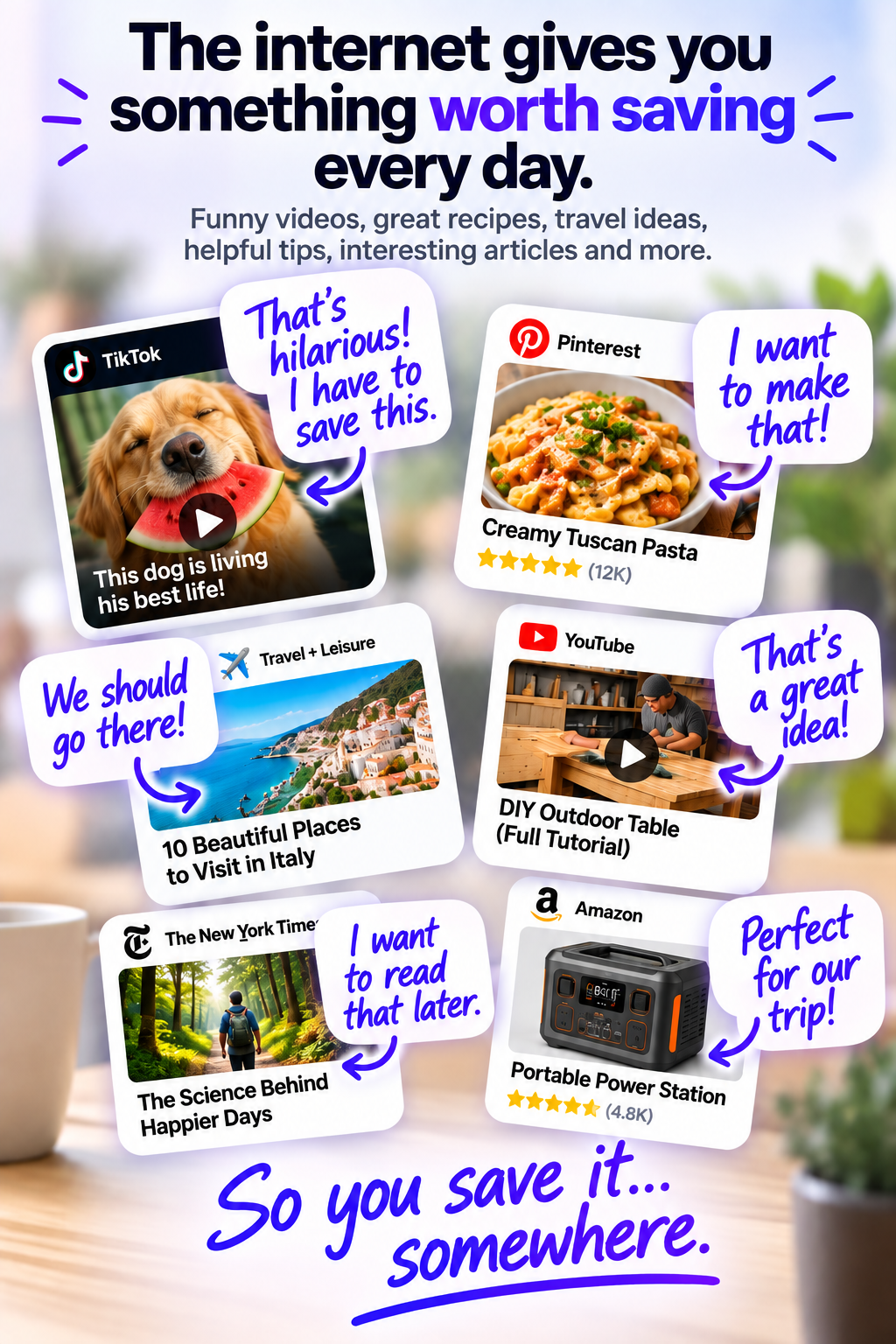
You save things everywhere. Then you have to remember where.
A saved post here.
A bookmark there.
A screenshot. A message. A link somewhere else.
Saving it is easy.
Remembering where you saved it is the problem.
With LinkNester, you don’t have to remember where. Just remember LinkNester.
Frequently Asked Questions
LinkNester is designed to be simple. Here are a few things you may want to know before getting started.
What is LinkNester? +
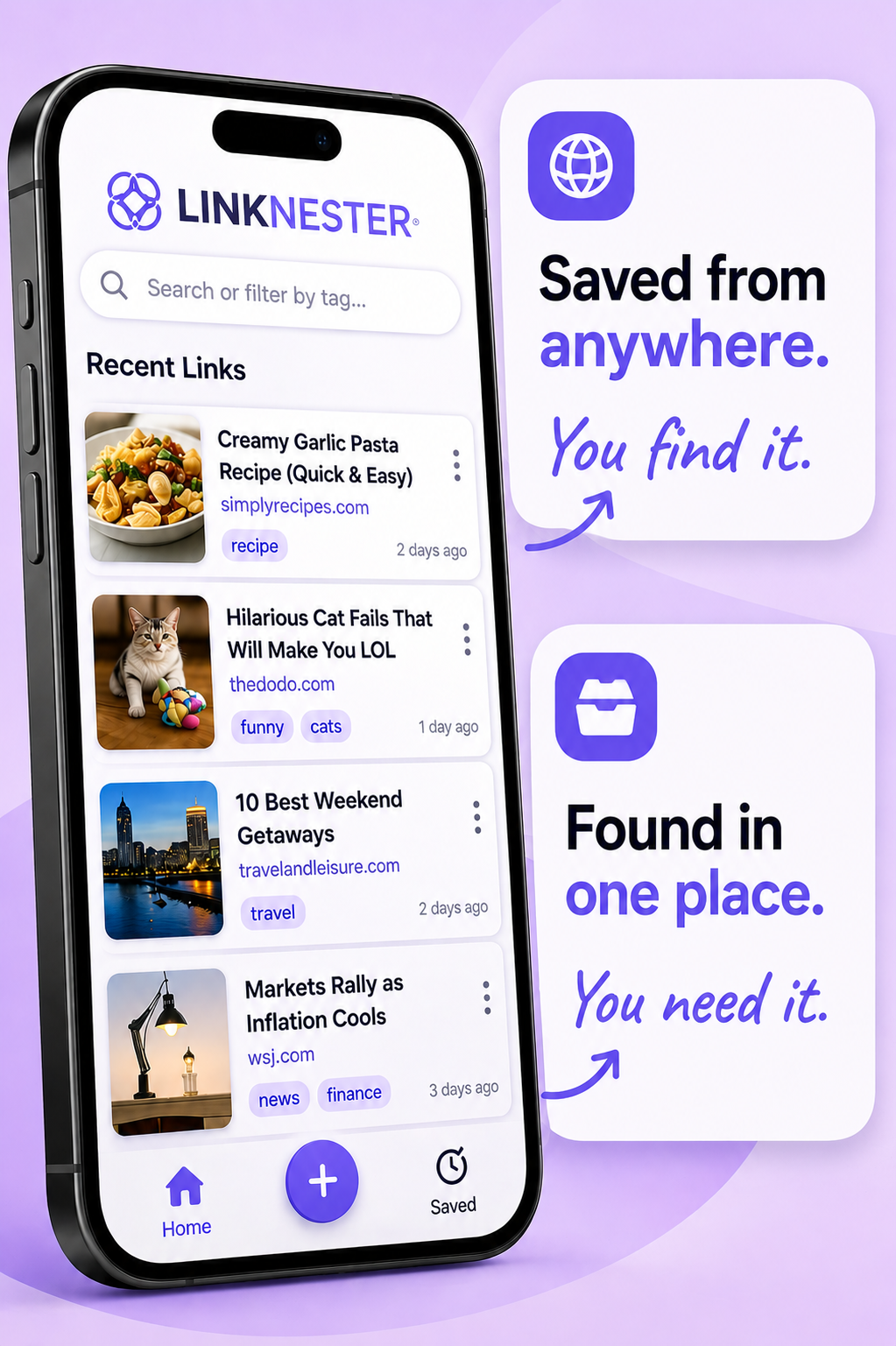
LinkNester gives you one place to save, organize, search, and find links you want to come back to. Instead of trying to remember where you saved something, you just remember LinkNester.
What kinds of links can I save? +
Just about anything online that's worth coming back to — recipes, videos, articles, social posts, products, travel ideas, restaurants, workouts, home projects, tutorials, shopping finds, research, recommendations, and more. If it has a link and it's worth remembering, it's worth saving in LinkNester.
Can I save links from other apps and websites? +
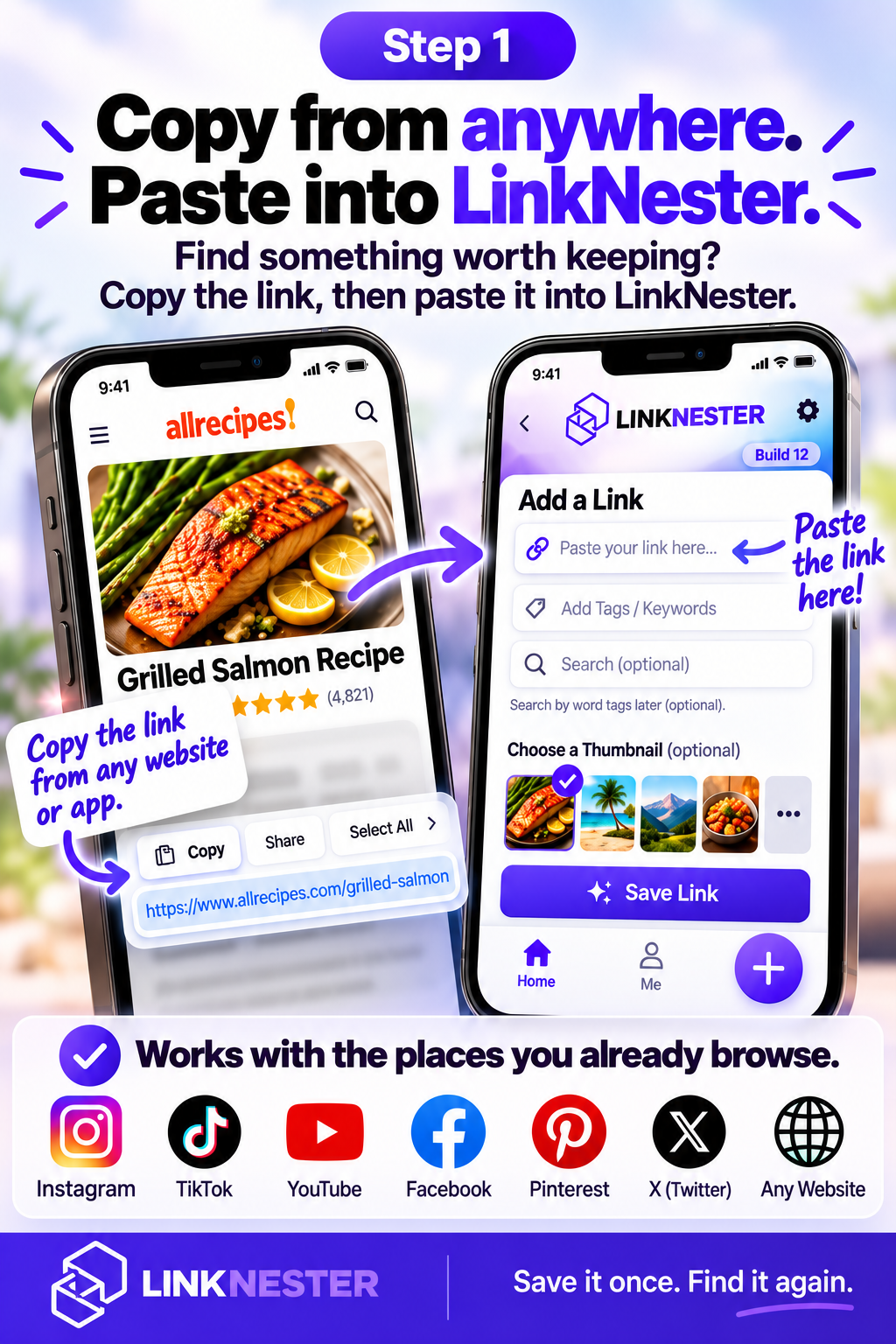
Yes. Copy a link from the apps and websites you already use, then paste it into LinkNester. You can also add a link directly inside LinkNester.
How do I organize my links? +
Add tags or keywords that make sense to you. Use things like “recipes,” “travel,” “home,” “funny,” or anything else you'll remember later. You can also edit your titles and tags to keep things organized your way.
How do I find something I saved? +
Search your saved links using tags or keywords. LinkNester can even match partial keywords, so you don't have to remember exactly what you called something. Find it, open it, or share it right from LinkNester.
Why not just use bookmarks, screenshots, or Notes? +
You can — and that's exactly how things end up scattered. A bookmark here. A screenshot there. Something saved in a social app, a message, Notes, or somewhere else. The hard part isn't saving something. It's remembering where you saved it. LinkNester gives you one place to look first.
Do I need an account? +
Yes. Your LinkNester account keeps your saved links and organized content associated with your account.
What if I need help? +
We're here to help. Visit our Support page or email us at admin@linknesterapp.com.
Save it once. Find it again.
THE LINKNESTER SOUNDTRACK
We made LinkNester a song.
Actually, we made a few. Hit play.
Thank you for contacting us.
We’ll get back to you as soon as possible.
We got it.
Stop losing links you actually wanted to find.
Join the waitlist and be first to use LinkNester when it launches.
Thank you for contacting us.
We’ll get back to you as soon as possible.
We got it.
Get Early Access to LinkNester
Be first in line when we launch. Enter your email and we’ll let you know the second it’s ready.